Features
What KURSA does.
One schedule that your whole team shares. Here is everything it covers today.
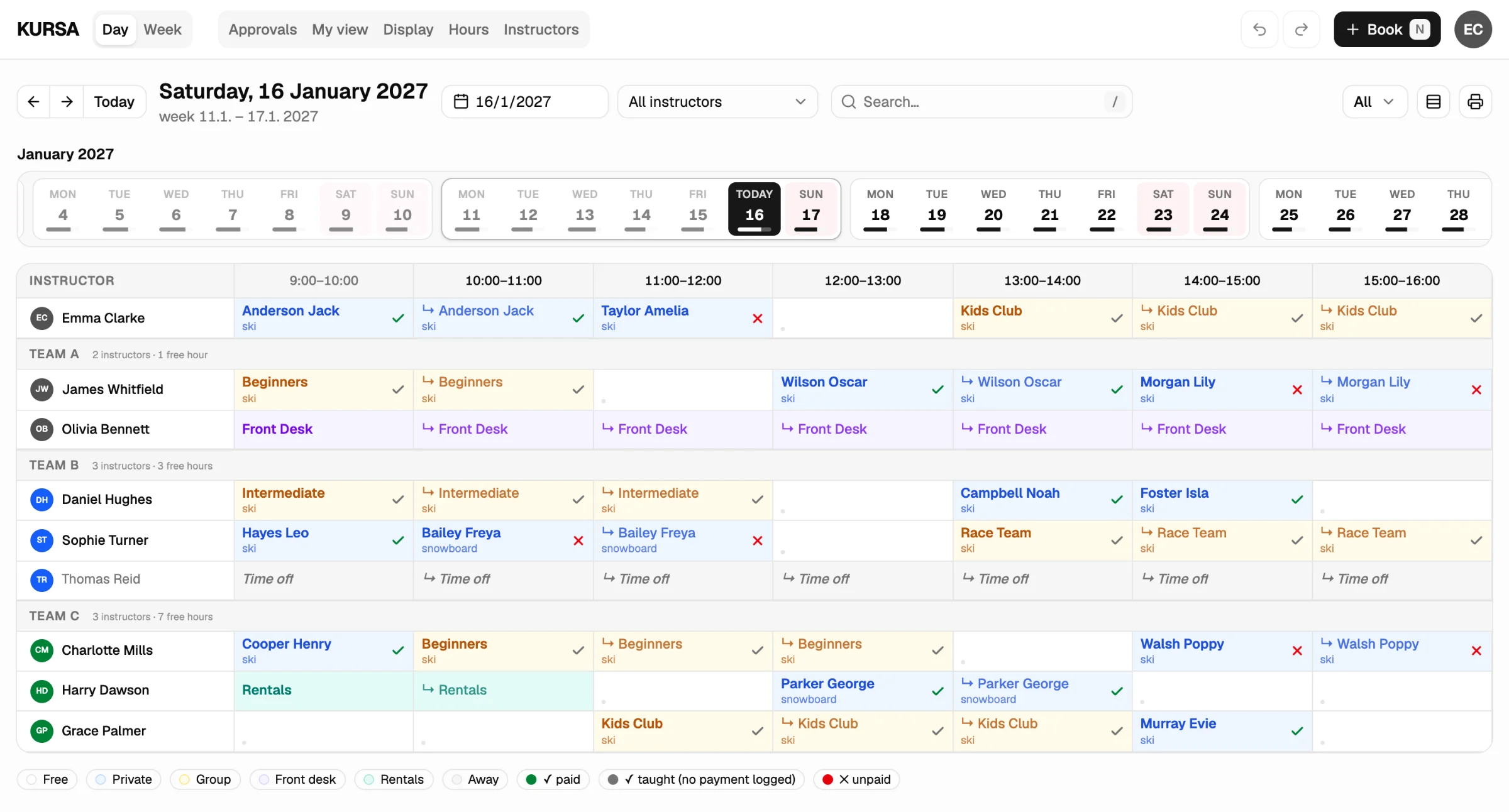
Daily view
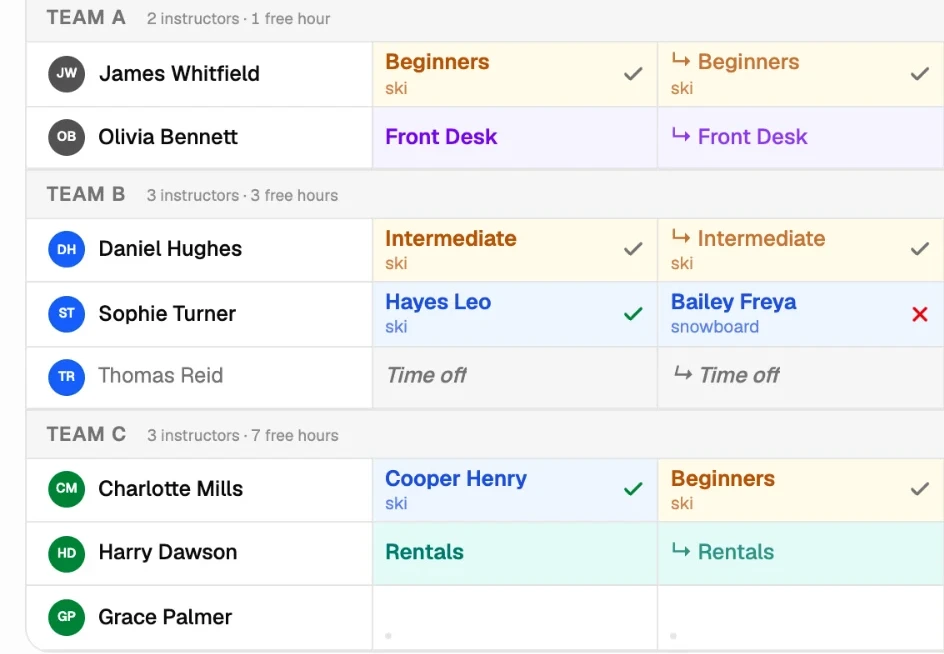
Your team in rows, the hours in columns. Private sessions are blue, groups amber, front desk violet and rentals teal, so you can read a full day at a glance.
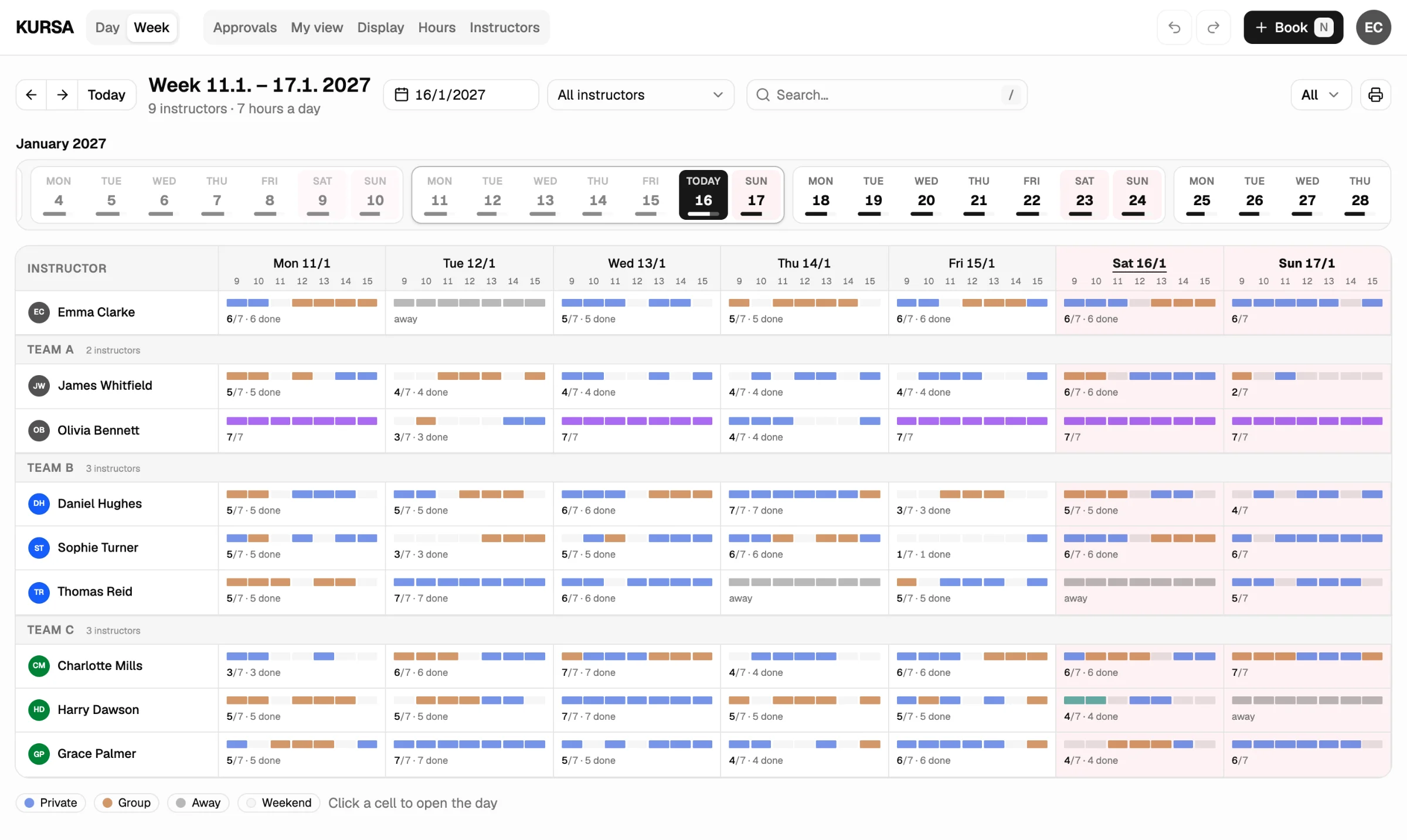
Weekly view
See how busy each person is on each day of the week. Click a day to open it.
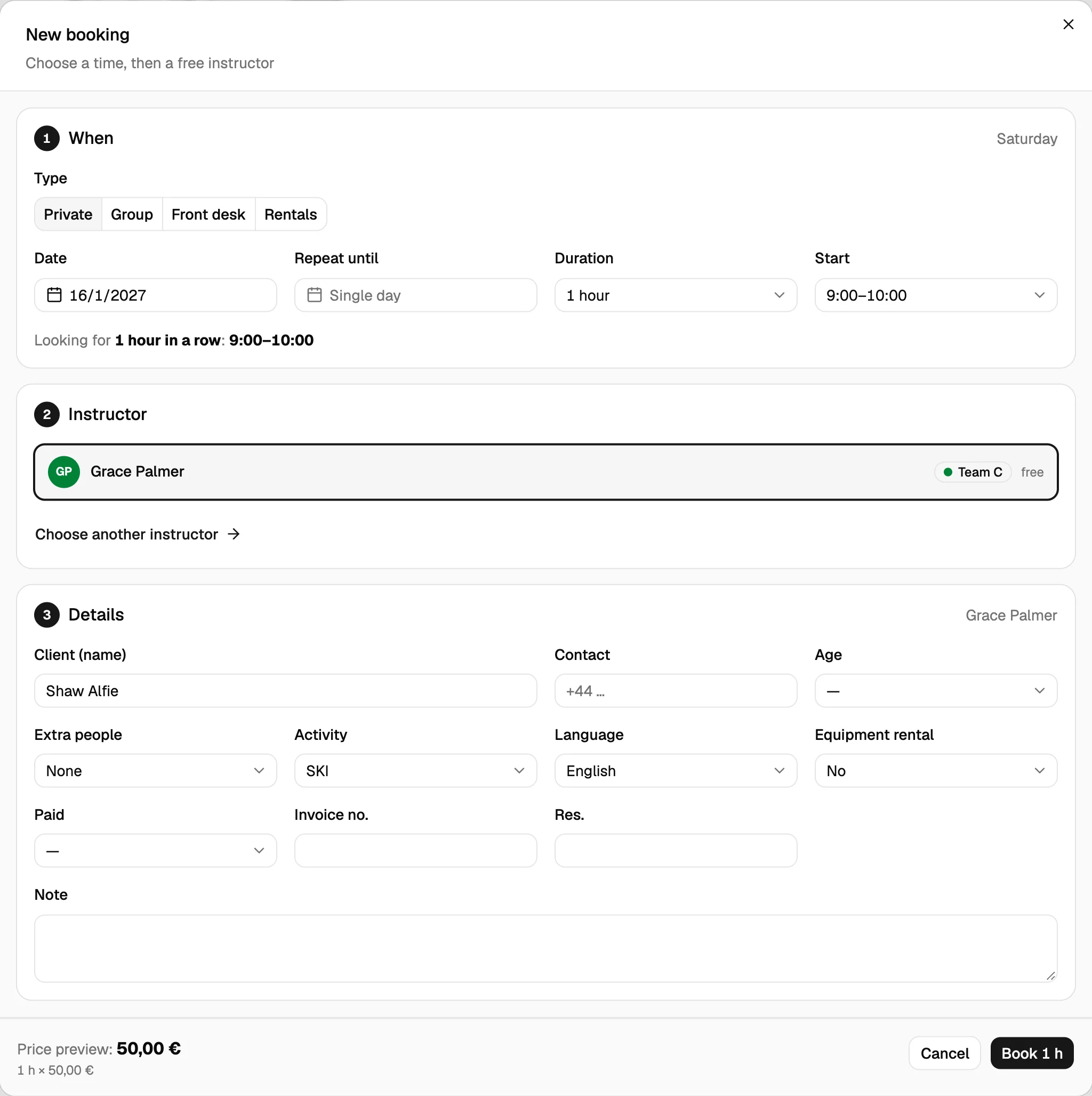
Booking
Pick a time and KURSA shows who’s free. Add the client, take the price from your own price list and book. A booking can repeat over several days.
Payments
Every session shows if it’s paid. A red cross marks what’s still owed, so you see it before the client leaves.
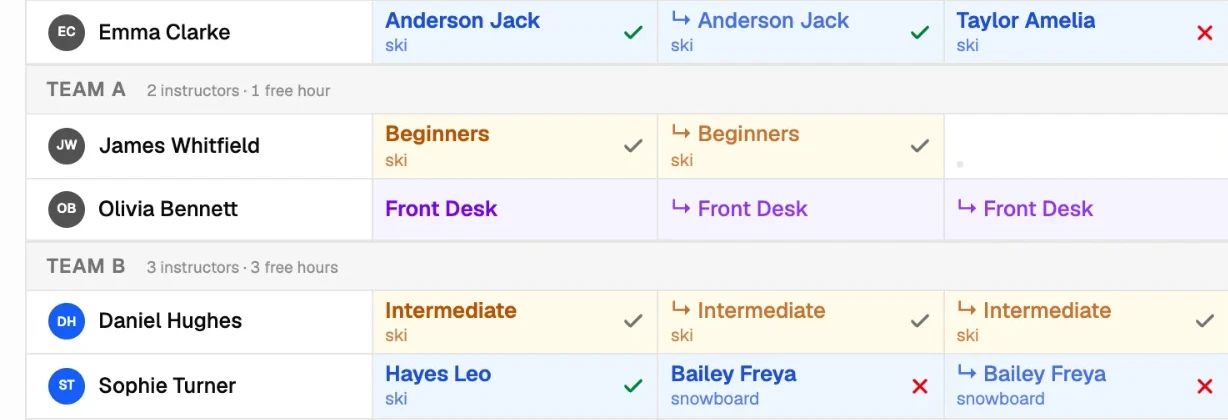
Teams and time off
Put people in teams and see each team’s free hours. Mark someone as away and nobody can book them by mistake.
Your team’s phones
Each person opens their own day in the browser: who they’re with, when, and in which language. They can propose a change, and it waits for your approval.
Team room screen
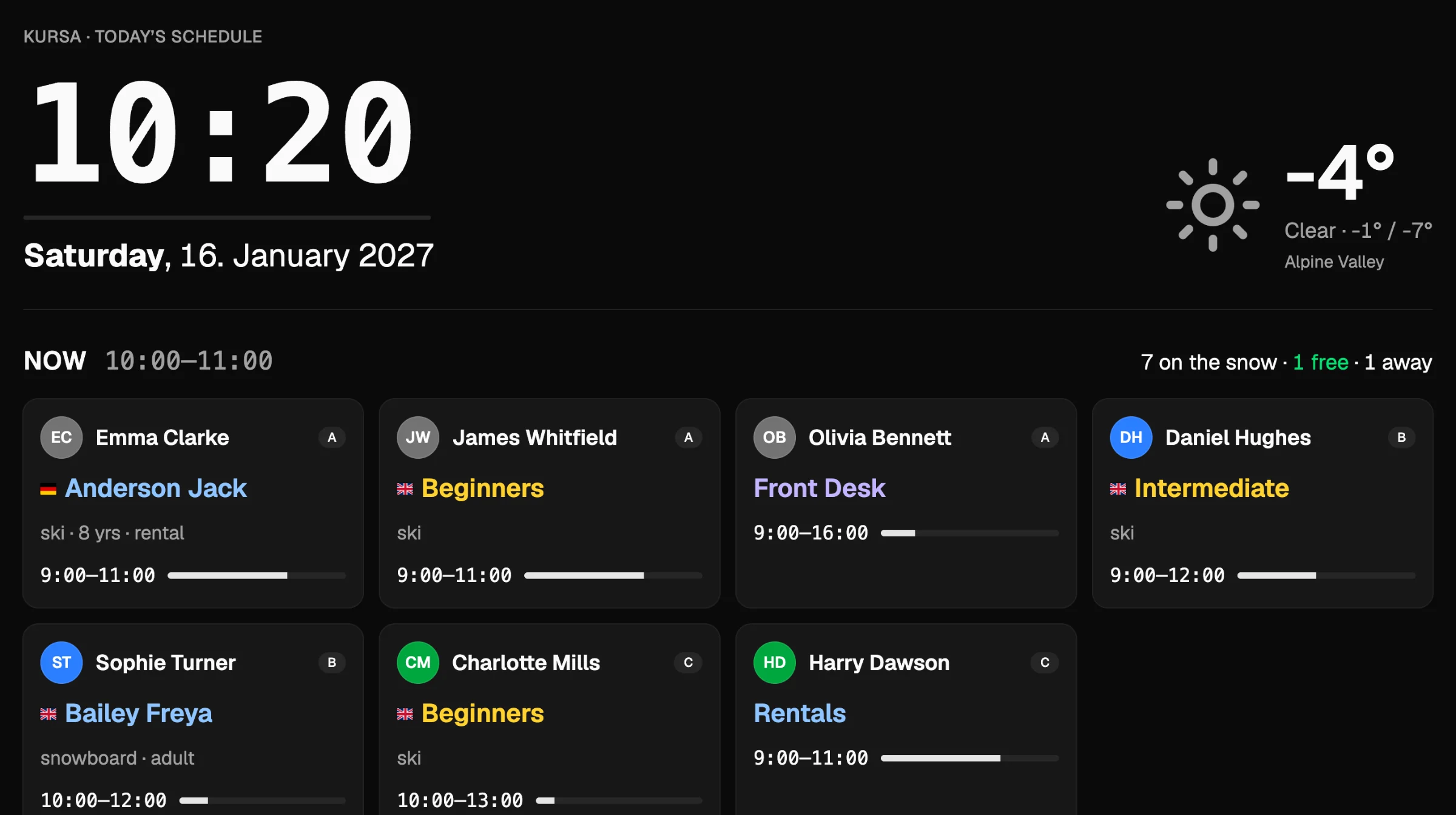
Put today on a TV: who’s busy now, who’s free, what’s next and the weather. It refreshes by itself.
Hours and payroll
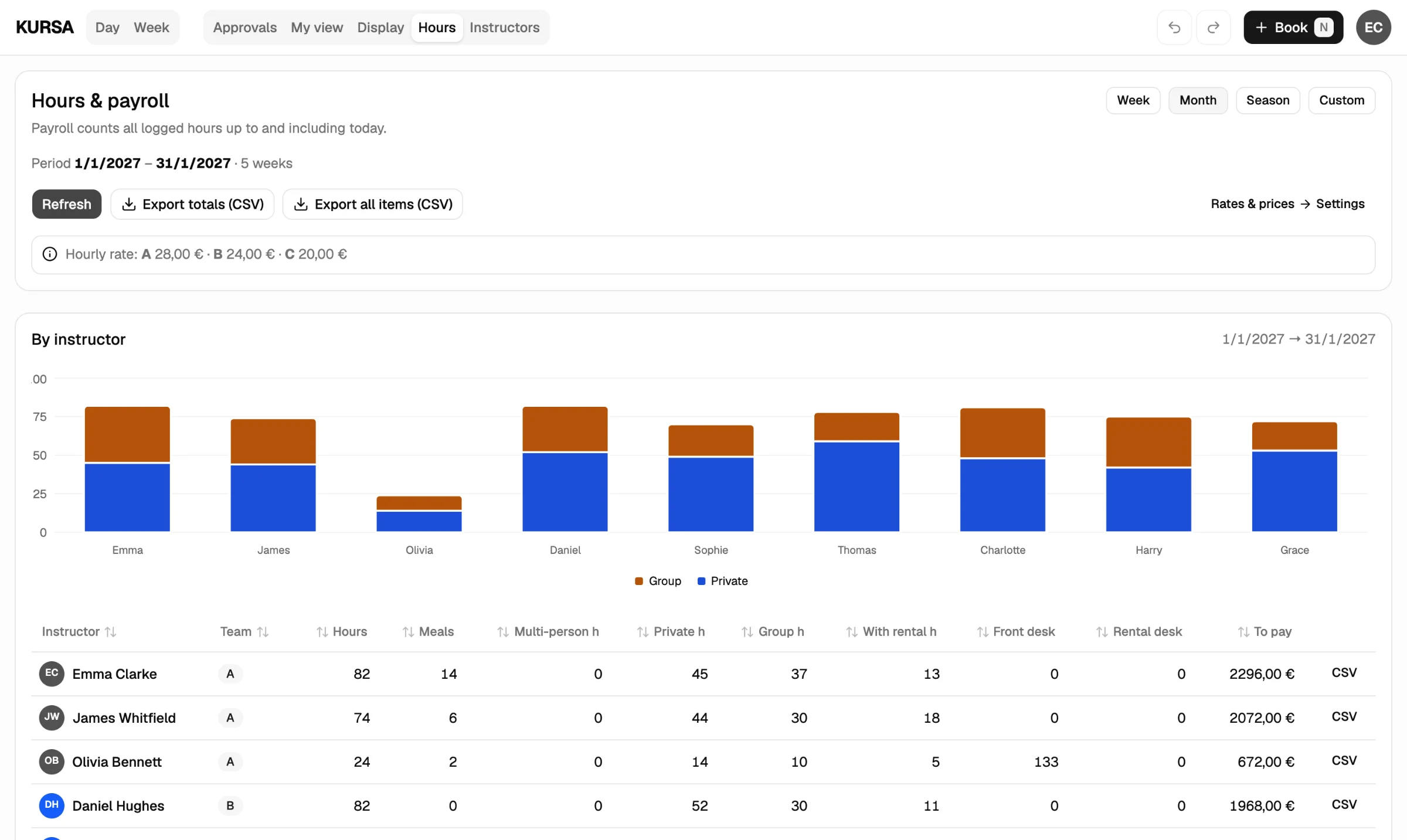
Hours add up as you work. Set rates per team, pick a period and export a CSV for your accountant.
Want to try it?
KURSA is in beta. Use it with your own team now, or ask to be told when it opens.